
Everything the portal does, in one list
Two halves: what your clients see when they log in, and what you get for running the business behind it. Both ship in the same install — there is no edition to upgrade to.
Self-hosted · PHP 8.2 + MySQL · No per-seat pricing
What the client sees
One login each. Their workspace and nothing else — not your other clients, not your internal threads.
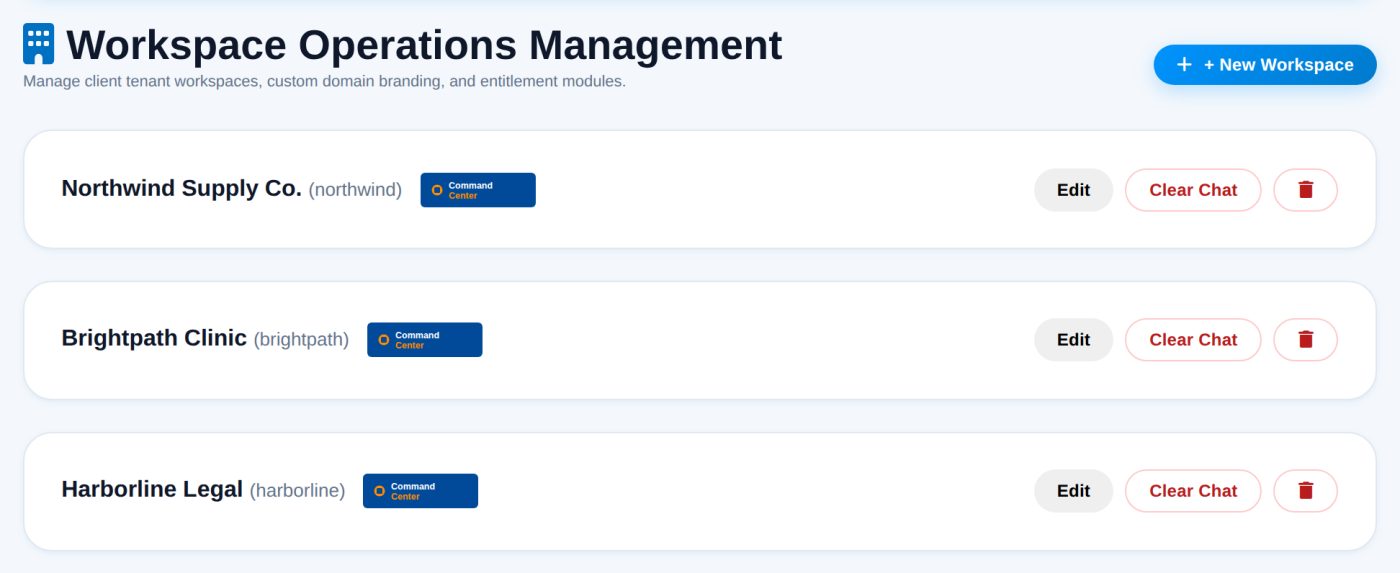
A separate, branded space for every client
A workspace is the unit of isolation. Every task, thread, file and invoice belongs to one, and access is checked on the server for each request rather than hidden in the interface. Clients can invite their own staff into their workspace without seeing yours.
- Their logo and accent colour on their workspace
- Uploaded logos stored on your own server, not hotlinked
- Client-side staff invitations
- Per-workspace access enforced server-side
- Admins can switch between every workspace from one account
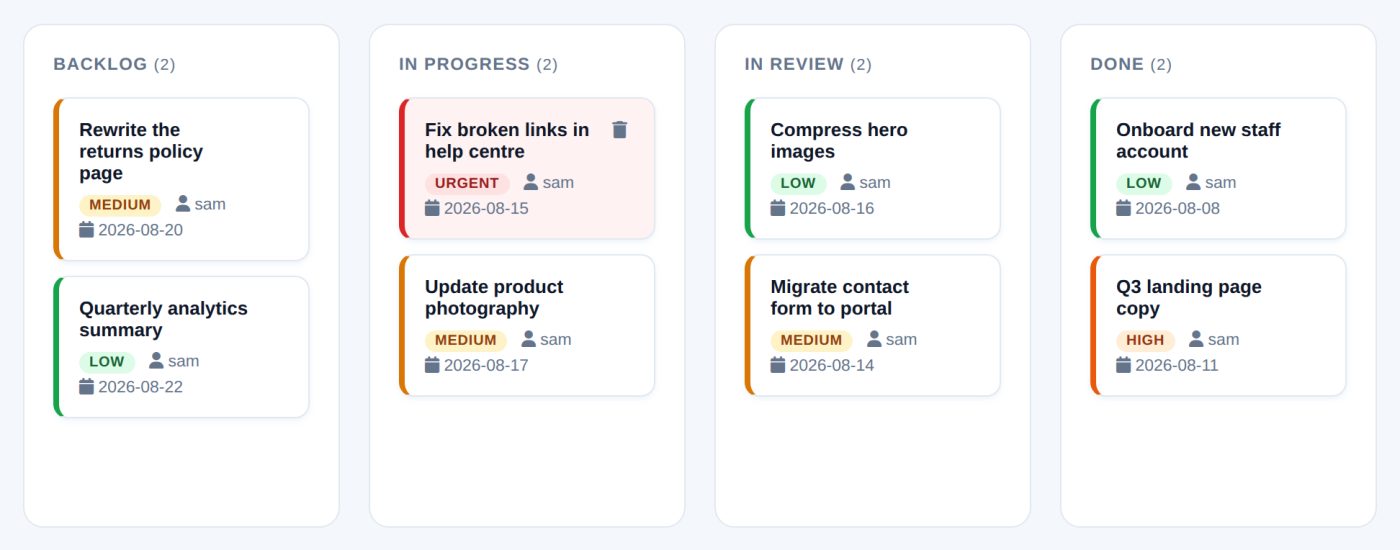
A board they can open instead of an email they have to send
Shared task boards mean "any update?" is answered by a link rather than by someone reconstructing the week. Work moves across four columns — Backlog, In Progress, In Review and Done — and each card carries an owner, a priority and a due date, so what is late is visible without anyone compiling a list.
- Four-column board: Backlog, In Progress, In Review, Done
- Assign to your staff or to the client
- Low, medium, high and urgent priorities
- Due dates with reminders
- Descriptions, attachments and links on the card
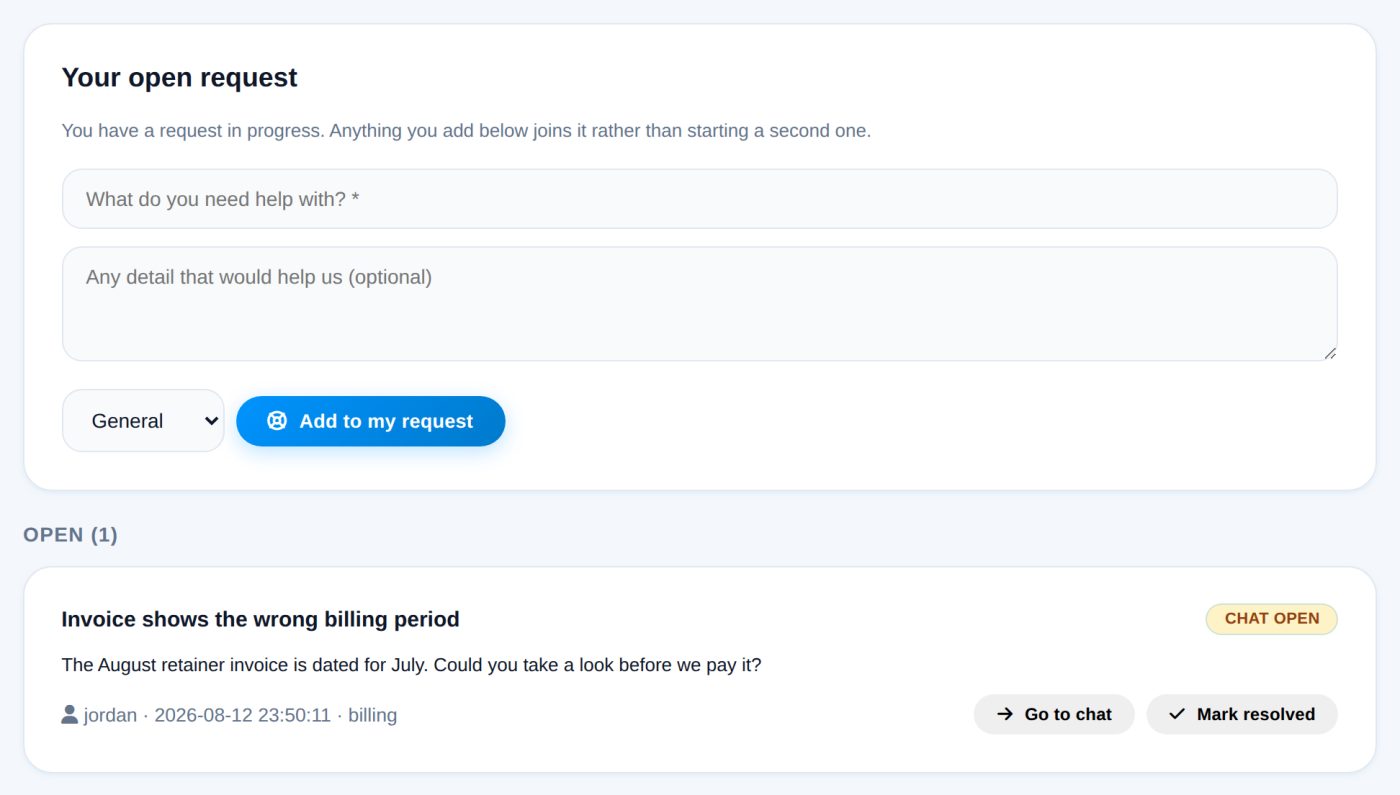
The client asks; you decide when the channel opens
A paying customer cannot message you out of the blue. They raise a request, it sits as "waiting for us" until an admin activates it, and activating is what creates the direct channel. Either side can mark it resolved afterwards. One live request per workspace, so extra detail joins the existing one instead of spawning a queue.
- Waiting → chat open → resolved, each step recorded
- Only an admin can open the channel
- One live request per workspace
- Raised and tracked by the client themselves
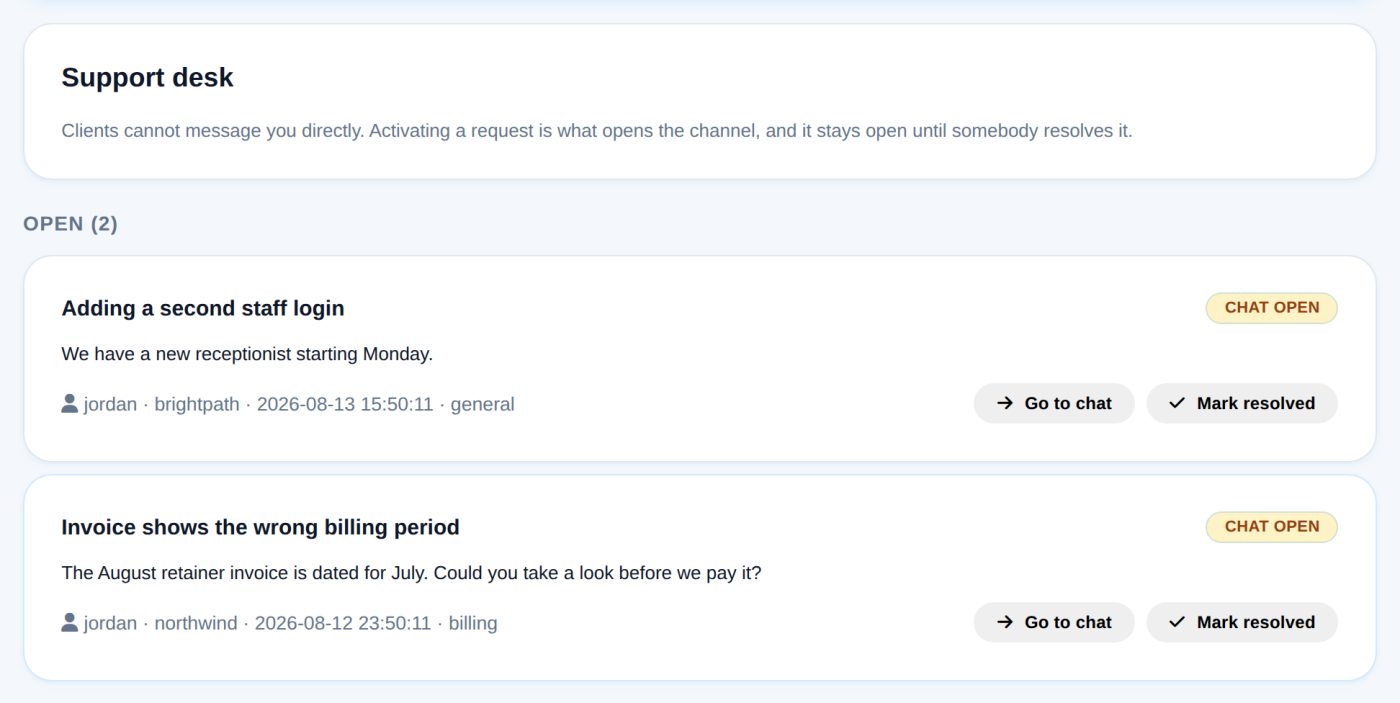
Three tiers of conversation, deliberately separated
Paying customers talk among themselves and their own staff. When they need you they raise a support request, and a direct channel to the site admin opens only once you activate it — so out-of-hours contact is something you grant rather than something that simply happens.
- Threads that live on the workspace, not in a personal inbox
- Direct messages inside a client’s own team
- Support requests you activate, resolve and close
- Colour-coded threads and unread counts
- Admins can reach any workspace; clients cannot reach each other
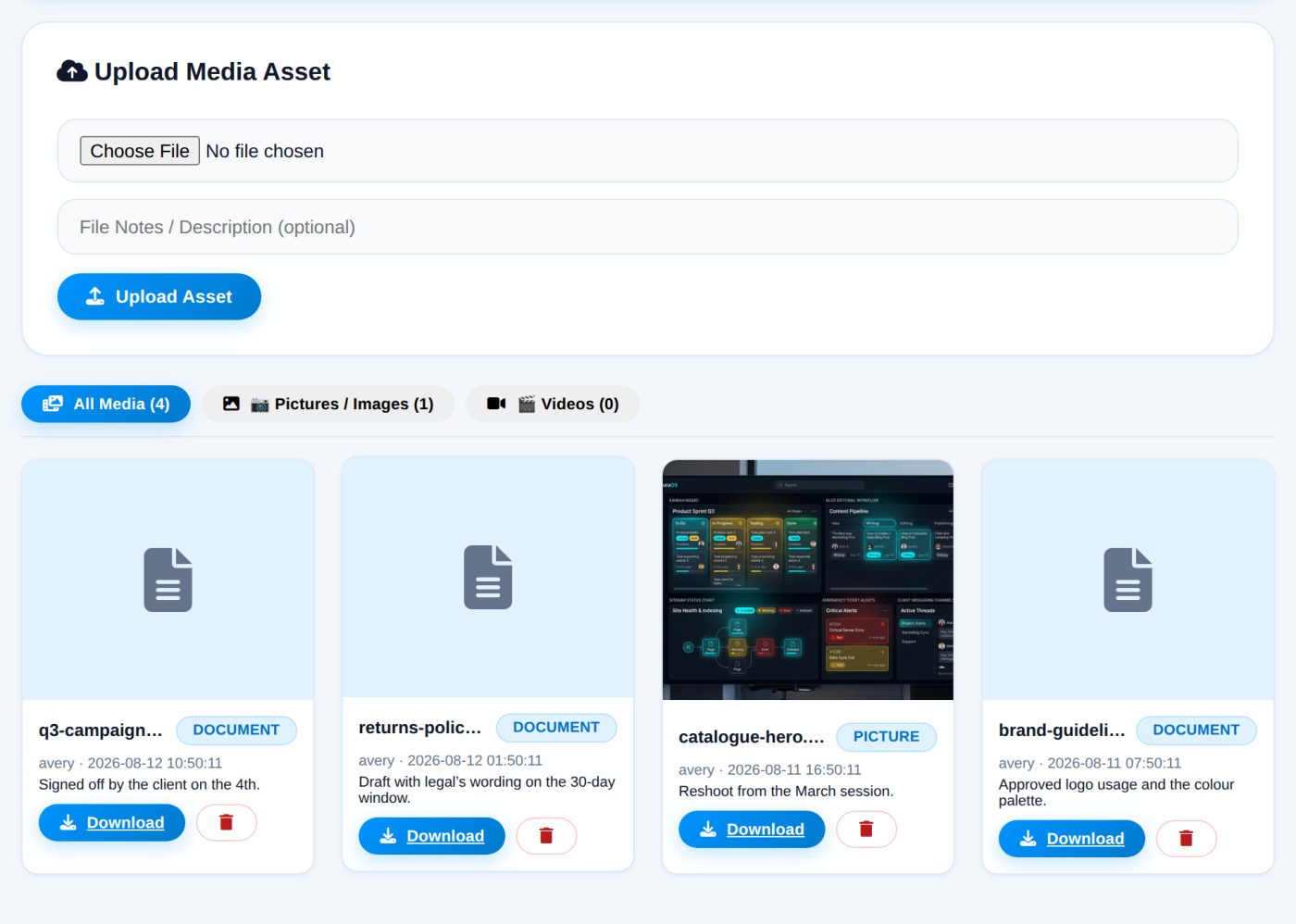
Files collected against the job
An upload area per workspace, so documents arrive attached to the work rather than to a thread that gets buried. Files are stored on your server under the workspace they belong to, and each one can carry a note explaining what it is and why it was sent.
- Upload area scoped to the workspace
- Notes on individual files
- Images, documents and archives
- Deletion committed only after the database transaction succeeds
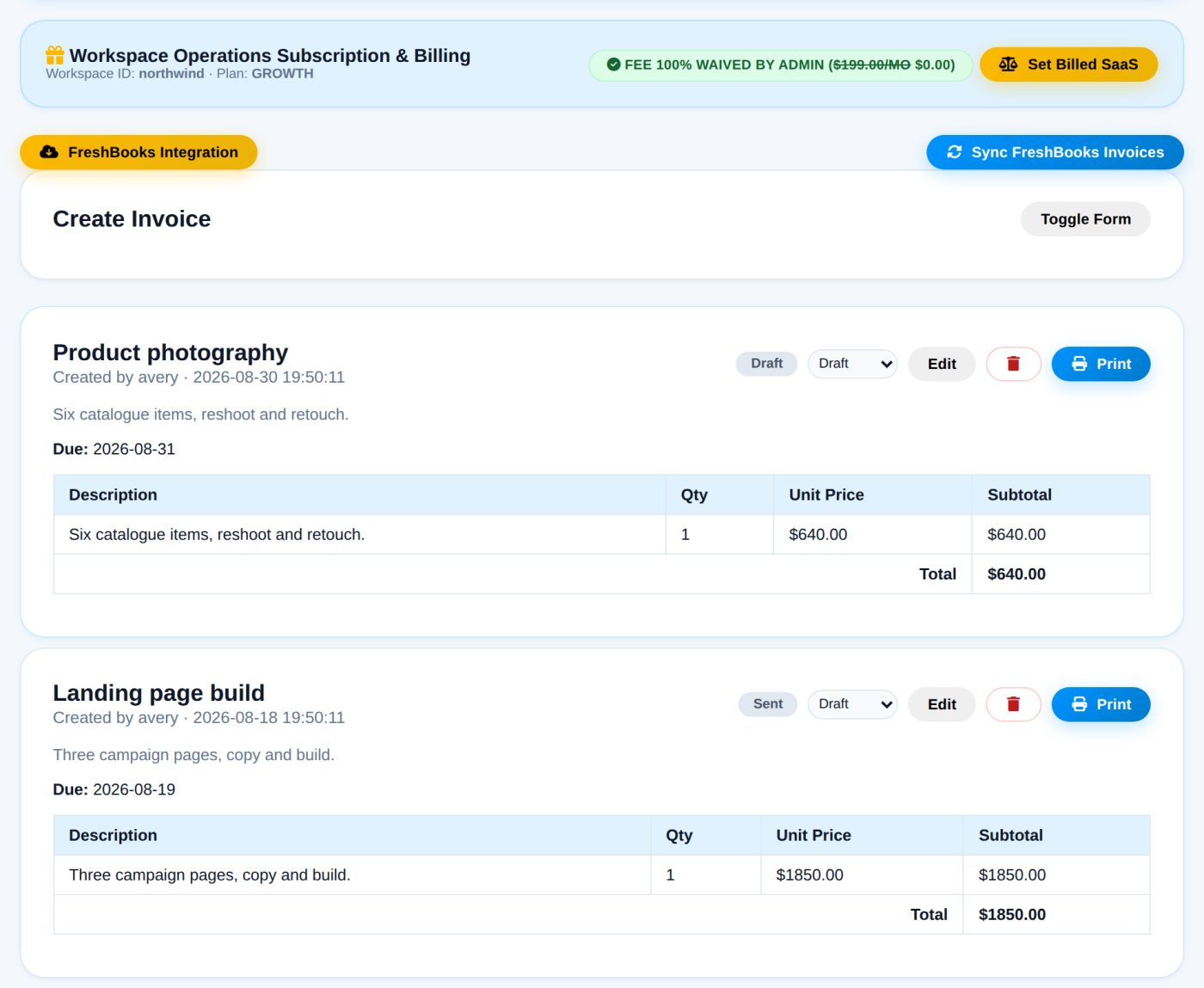
Money in the same place as the work it paid for
Raise invoices with line items from inside the workspace, move them through draft, sent, paid and overdue, and let clients settle recurring plans through PayPal. Prices are computed on the server from the plan catalogue, so what a customer is charged never depends on what their browser submitted.
- Line-item invoices with status tracking
- PayPal subscriptions with verified webhooks
- Upgrades priced with proration
- Server-authoritative pricing
- Waivable fees for accounts you comp
What you get for running the business
The half your clients never see.
A retention early-warning score for every client
The most expensive thing an agency does is quietly lose a client. Every signal that predicts it is already in the portal — overdue invoices, aging tasks, chat that has gone silent, an unanswered message, an open support ticket — but scattered across separate screens where nobody connects them. Client Pulse scores each client 0–100 from those exact signals, ranks whoever needs attention first, tells you the specific reasons, tracks the trend day over day, and lets you raise a follow-up task in on
- A 0–100 health score per client, banded Healthy / Watch / At-risk
- Four weighted signals: billing, delivery, engagement, support
- Plain-English reasons — you see WHY, not a mystery number
- Daily trend so you can tell who is slipping
- One-click follow-up task on any flagged account
- Admin-only — clients never see a score about themselves
Three lists, because they are three different jobs
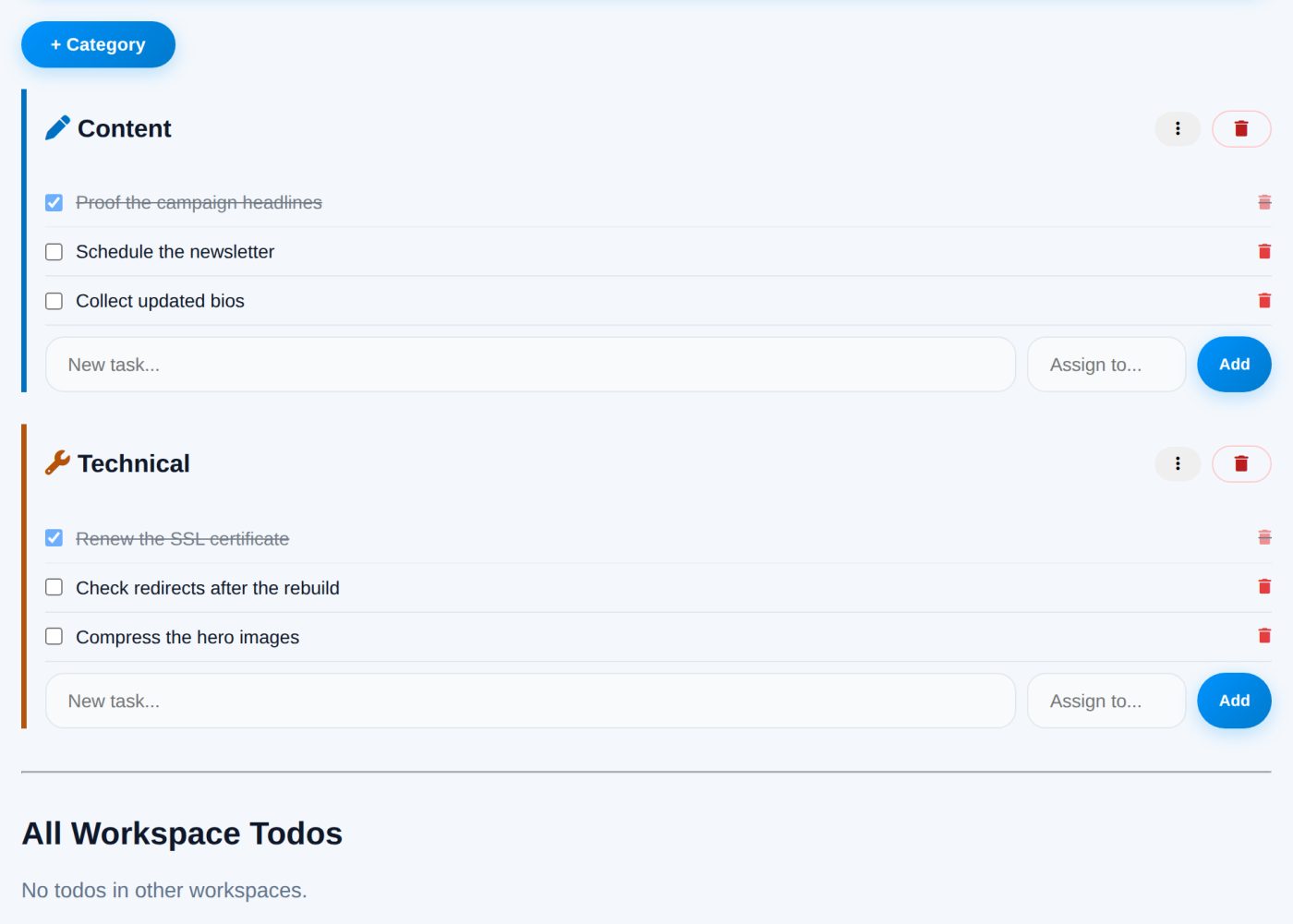
Site todos are shared with the workspace. Private todos are yours alone. The admin todo list spans every client at once, so the question "what is outstanding everywhere" has an answer without opening ten workspaces. Categories and bulk actions keep long lists usable.
- Shared, private and cross-client lists
- User-defined categories
- Bulk complete, recategorise and delete
- Anything on a task board can be pushed to your admin list
A separate channel for the things that cannot wait
Urgent issues bypass the normal queue: a client submits an emergency, an audible alert fires in the portal, and an optional text goes out through your carrier’s email-to-SMS gateway. Replies and resolution are recorded on the incident, and a site-wide banner can announce an outage to everyone at once.
- Dedicated emergency submission and reply thread
- Audible in-portal alert
- Optional SMS via carrier email gateways (free, but delivery is best-effort)
- Site-wide banner for outages
- Explicit resolve step with a record
Editorial workflow and the sitemap plumbing
The content pipeline is where approval is explicit: a post sits at Needs Review until somebody marks it Approved, and publication can be dated in advance. That sign-off is a recorded event rather than a sentence in a reply somebody has to find again. Sitemap feeds can be registered and read back as XML, and there is an llms.txt endpoint for the crawlers that now look for one.
- Needs Review → Approved, with the reviewer and date recorded
- Scheduled go-live dates
- Comment moderation
- Registered sitemap feeds, readable as XML
- llms.txt endpoint
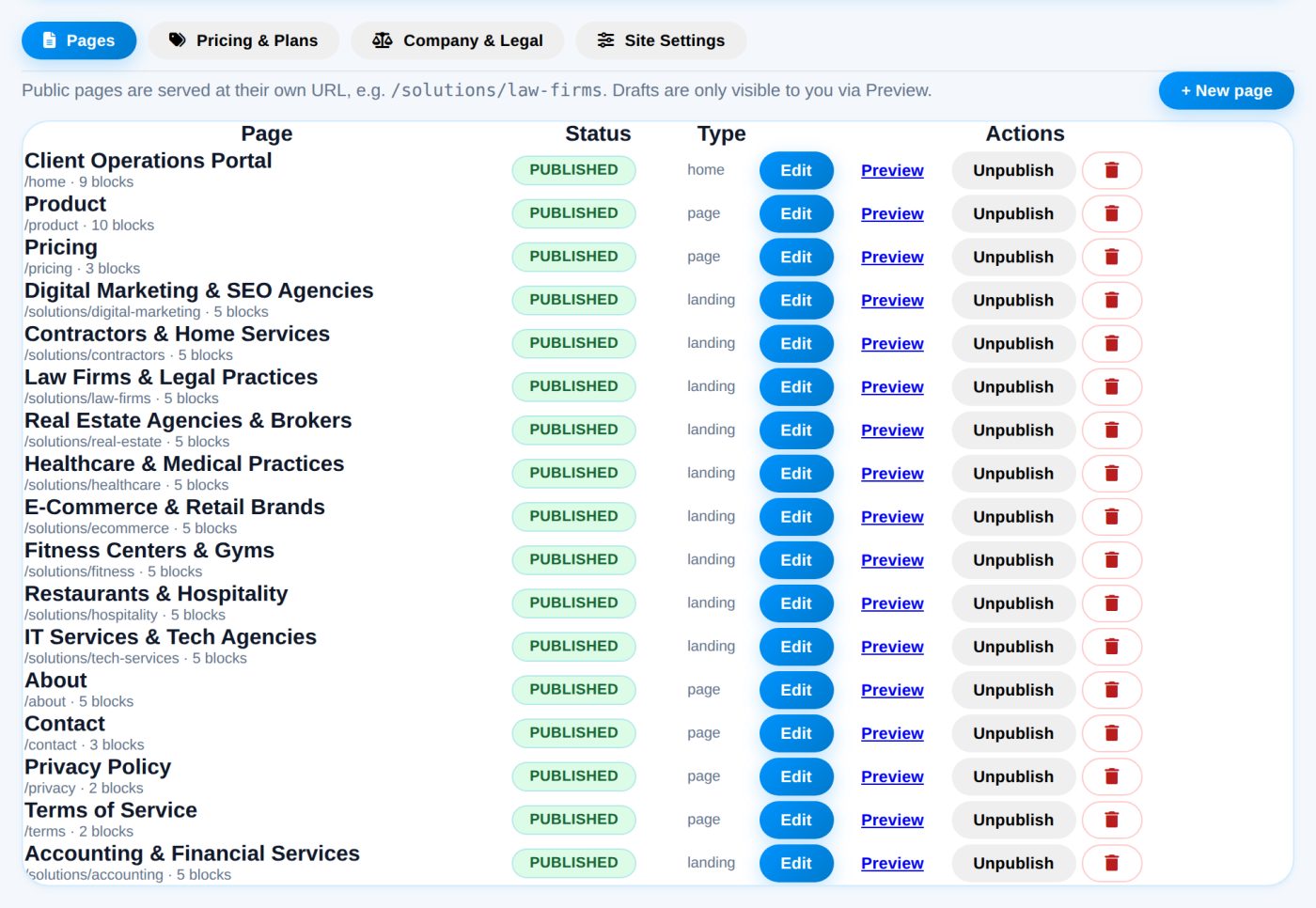
The public site is a page builder, not a template you edit in code
The pages you are reading are rows in the database, assembled from a block catalogue: heroes, tabs, steps, feature grids, pricing tables, FAQs, comparison tables and rich text. Landing pages for ad campaigns are made the same way, with their own titles, meta descriptions and canonicals.
- Seventeen block types with drag-free reordering
- Per-page meta title, description, canonical and robots
- Server-rendered at real URLs, so crawlers see finished HTML
- Schema.org output for organisation, FAQ and breadcrumbs
- Draft and preview before publishing
Who did what, and when
An activity feed per user and a global feed across every workspace, so an account question can be answered from the record instead of from memory. Summary figures cover workload and billing, and the whole database can be exported and re-imported as one file.
- Per-user activity detail
- Global cross-workspace feed
- Workload and billing summaries
- Full data export and import
- Global search across tasks, threads, files and clients
Built into every install
No add-on tier, no feature flags to buy.
Roles that mean something
Admin, client and staff differ in what the server will do for them, not merely in which buttons are rendered.
Notifications
In-portal alerts with unread counts, optional browser notifications, and reminder messages you can send a user directly.
Light and dark
A per-user theme preference and a saveable dashboard layout, both remembered across sessions.
Search across everything
One field that reaches tasks, threads, files, invoices and clients, scoped to what you are allowed to see.
Country blocking
Optional US-only access. Traffic is judged on the country header from your CDN, and unknown origins are allowed rather than shut out.
Export and import
Take the whole dataset out as a single file, or move an install to a new host by putting it back.
Rate limiting
Sign-in, signup and contact endpoints are throttled per source to blunt scripted abuse.
MySQL or SQLite
MySQL in production, with a SQLite path for a laptop trial. A built-in converter moves a SQLite install to MySQL.
Guided installer
Upload the files and open the site: a wizard creates the database, writes the config, makes the first admin and seeds the pages.
Where the work lives now, and where it would live
| Across separate tools | In the portal | |
|---|---|---|
| Status updates | Rebuilt by hand from email each week | A board the client opens themselves |
| Approvals | A sentence in a reply, disputed a month later | A status change with a date on it |
| Files | Attachments across four inboxes | An upload area on the workspace they belong to |
| Urgent issues | A phone call to whoever answers | An emergency ticket with an alert and a resolution record |
| Invoices | A separate tool with no link to the work | Raised beside the work, with the plan and payment attached |
| Client access | Everyone in one shared channel | One workspace each, isolated on the server |
What adoption actually looks like
An afternoon, not a migration project.
Install it
Upload the files to ordinary PHP hosting and open the site. The installer does the database, the config file and the first admin account.
Create one workspace
Pick a single client to start with. Add their logo and colour, and invite them.
Move that client’s work in
Tasks, files and the conversation. One client is enough to tell whether it removes more email than it creates.
Bill from the same place
Raise the next invoice inside the workspace and see the month close without assembling a report.
Where it stops
A product page that lists only capabilities is a sales page. This is a new platform, and these are the things it does not do today. If one of them is a requirement for you, it is better that you know now.
- No two-factor authentication. Sign-in is username and password. If you store material that warrants a second factor, weigh that before you migrate.
- Files are not encrypted at rest. Uploads sit as ordinary files on your server, protected by the server's own access controls and nothing more.
- No time tracking or timesheets. Invoices are written with line items; there is no timer feeding them.
- No native mobile apps. The interface adapts to a phone browser, but there is nothing in an app store.
- SMS is best-effort. Alerts go through carrier email-to-SMS gateways, which cost nothing and are not guaranteed to arrive. Treat them as a nudge, not as paging.
- It is early. Launched in 2026 and shaped by its first customers. Try it on one client before you move your whole book across.
Everything above is on the list. What gets built first is decided largely by what early customers ask for, so if one of these is blocking you, say so.
What you need to run it
Deliberately boring requirements. It targets the shared hosting most small firms already pay for.
- PHP 8.2 or later with PDO. No Composer, no Node, no build step.
- MySQL for production. SQLite works for a trial, and a built-in converter moves you across.
- FTP or a file manager. If you can upload a folder, you can install it.
- A domain with HTTPS. Any standard certificate; nothing bespoke.
Because it is self-hosted, the database is yours. Nothing switches off if we stop building it, and the export lives in the admin area rather than behind a support request.
Product questions
Can a client see another client’s workspace?
No. Every request is checked against the workspace it touches, on the server. The interface hiding a link is not what stops it — the query does.
Can my clients message each other?
No, and that is deliberate. Paying customers talk within their own team. They reach you by raising a support request, which opens a direct channel to the site admin once it is activated. Admins can reach any workspace; workspaces cannot reach each other.
Is there a per-seat charge?
No. Plans are priced per workspace, and you add the people you need inside one. Current prices are on the pricing page.
Can I change the public pages without touching code?
Yes. Every page on this marketing site is stored in the database and edited from the admin area using the same block catalogue described above, including the landing pages used for ad campaigns.
Does it integrate with anything else?
PayPal for subscriptions, with webhook signatures verified server-side. There is an optional invoice sync for FreshBooks. Beyond that, integrations are thin today — assume it does not connect to a tool unless this page says it does.
What happens when I outgrow SQLite?
Run the built-in converter from the admin area. It moves the schema and the data into MySQL; you update the config and carry on.
How do I get my data out?
A full export from the admin area, as one file that the same install can import. You also have direct access to the database, because it is on your own server.
Try it on one client
Start free, set up a single workspace, and judge it on whether it removes more email than it creates.
Create your workspace